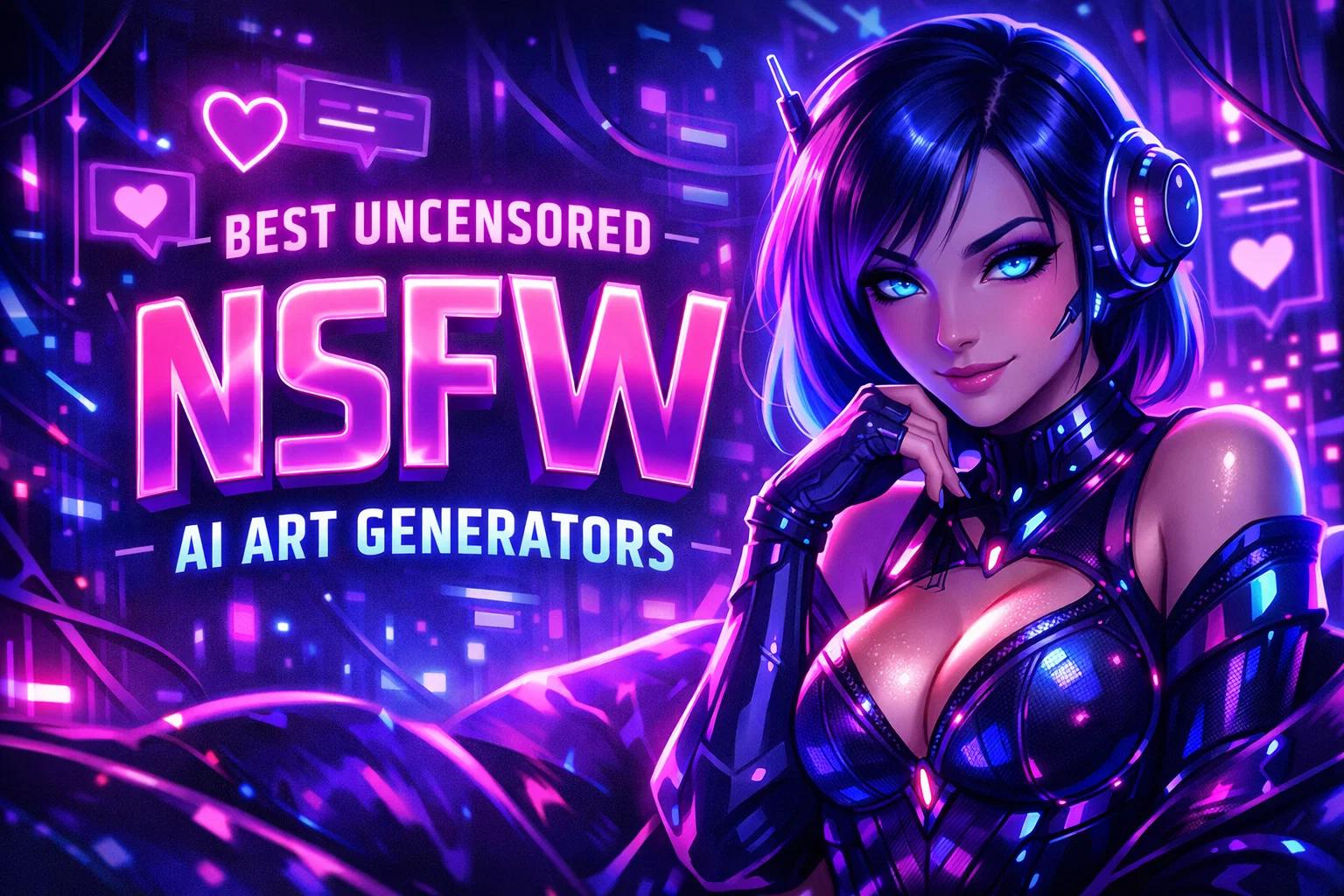
Not every AI art tool plays it safe, and honestly, that’s kind of the point.
As generative art keeps evolving, more platforms are leaning into fewer filters and fewer guardrails, giving users space to explore ideas that don’t always fit inside “family-friendly” boundaries. That includes NSFW art, adult aesthetics, and styles that are often restricted elsewhere.
This isn’t about picking a winner or diving into how each tool works. It’s more about understanding the landscape. There’s a growing mix of apps, platforms, and communities built around creative freedom – some polished, some experimental, some clearly pushing limits on purpose.
Below is a curated list of some of the best uncensored or less-restricted NSFW AI art generators right now. Each one sits slightly differently on the spectrum, but they all share one thing: fewer creative brakes, and a bit more room to explore.

1. Cherrypop.ai
Cherrypop.ai is a platform focused on AI-generated characters, chat, and visual content with fewer content restrictions compared to more mainstream tools. It combines character creation, conversational AI, and image generation in one place, with a clear emphasis on open-ended interaction. Our platform presents a wide range of pre-made characters across different styles and themes, while also allowing users to build their own characters with adjustable traits, appearance, and tone.
The overall setup leans into flexibility rather than structure. It supports ongoing conversations that adapt over time, along with optional uncensored modes that remove typical filters found in other services. Alongside chat, it includes tools for generating images and short visual content tied to characters, which places it somewhere between a chatbot platform and an AI art tool. The experience is shaped less like a traditional editor and more like a sandbox where different formats – text, character behavior, and visuals – overlap.
Key Highlights:
- Character-based system with customizable personalities and traits
- Built-in chat, image, and content generation in one interface
- Optional uncensored mode with fewer content restrictions
- Large library of pre-made characters across multiple styles
- Conversations that adapt based on interaction over time
- Focus on private, account-based usage
Who It’s Best For:
- People looking for NSFW AI tools with fewer filters
- Users interested in combining AI art with character interaction
- Those exploring open-ended or roleplay-style creative formats
- Anyone who prefers less structured, more flexible generation environments
Contact Information:
- Website: cherrypop.ai
- Email: [email protected]
- Address: 1209 Mountain Road Pl NE #7596, Albuquerque, NM 87110, USA

2. ZenCreator.pro
ZenCreator.pro is a web-based platform built around generating images and videos with a strong focus on control over output. It combines multiple tools in one place, including text-to-image, image-to-video, face generation, and editing features like upscaling and background changes. The platform positions itself as a space where users can move between different formats without switching tools, keeping everything inside a single workflow.
From a practical point of view, it feels closer to a production toolkit than a simple generator. There is an emphasis on flexibility, including fewer content restrictions compared to many mainstream platforms, which makes it relevant in conversations around uncensored AI art. The mix of features like face swapping, influencer-style content, and video generation also suggests it is designed for users who want to experiment across different types of visual output, including more open-ended or NSFW directions.
Key Highlights:
- Image and video generation in one workspace
- Face generation, swapping, and editing tools
- Upscaling and photo editing features built in
- Text-to-video and image-to-video workflows
- Fewer visible content restrictions compared to typical tools
- Designed for multi-format content creation
Who It’s Best For:
- Users exploring uncensored or less restricted AI art tools
- People working with both images and short-form video
- Those who want flexible editing and generation in one place
- Creators testing different visual formats without strict limits
Contact Information:
- Website: zencreator.pro
- Email: [email protected]
- Facebook: www.facebook.com/zencreator.pro
- Twitter: x.com/modelszen
- LinkedIn: www.linkedin.com/company/zencreator
- Instagram: www.instagram.com/zen.models.official
- Phone: +357 99 562617

3. ComfyUI
ComfyUI is an open-source interface for building AI generation workflows using a node-based system. It approaches image and content generation from a technical angle, where users connect different steps visually instead of relying on a simple prompt box. This structure gives full control over how outputs are created, modified, and combined.
Because it runs locally and supports custom nodes, it naturally allows more freedom than many hosted platforms. There are no built-in content filters at the software level, which makes it part of the broader uncensored AI art space, depending on how it is used. At the same time, it requires more involvement from the user, since everything from models to workflows can be adjusted or built from scratch.
Key Highlights:
- Node-based workflow system for full control
- Open-source and customizable environment
- Runs locally on user hardware
- Supports custom models and extensions
- Reusable workflows with embedded metadata
- No platform-level content filtering
Who It’s Best For:
- Users looking for uncensored AI art without platform limits
- People comfortable with more technical setups
- Creators who want full control over generation pipelines
- Those working with custom models and advanced workflows
Contact Information:
- Website: www.comfy.org
- Email: [email protected]
- Twitter: x.com/ComfyUI
- LinkedIn: www.linkedin.com/company/comfyui
- Instagram: www.instagram.com/comfyui

4. SeaArt AI
SeaArt AI presents itself as an all-in-one creative platform that mixes generation tools with a built-in community. It covers image creation, video generation, character interaction, and model switching, all within a single interface. The platform leans into accessibility, offering templates, effects, and ready-to-use models that simplify the process for users who don’t want to deal with technical setup.
Looking at how it fits into the uncensored AI space, it sits somewhere in the middle. It supports a wide range of styles and user-generated content, and its community-driven aspect means different types of outputs circulate on the platform. There is also a noticeable focus on characters and roleplay-style interaction, which connects it loosely to NSFW use cases, even though the tool itself is broader than that.
Key Highlights:
- Image, video, and character tools in one platform
- Built-in community with shared content and models
- Templates and effects for faster creation
- Model switching for different visual styles
- Mobile app availability
- Mix of casual and more advanced tools
Who It’s Best For:
- Users exploring AI art with community input
- People interested in character-based or stylized content
- Those who want quick results without technical setup
- Creators browsing different styles including NSFW-adjacent content
Contact Information:
- Website: www.seaart.ai
- App Store: apps.apple.com/us/app/seaart-ai-photo-video-maker/id6478189868
- Google Play: play.google.com/store/apps/details?id=ai.seaart.app.global
- Email: [email protected]
- Facebook: www.facebook.com/SeaArtAI
- Twitter: x.com/SeaArt_Ai
- Instagram: www.instagram.com/seaartai

5. PixelBunny.ai
PixelBunny.ai is a browser-based platform that brings together multiple AI models for generating images and videos. It uses a credit-based system instead of subscriptions, allowing users to pay per generation. The platform includes tools for video creation, motion control, editing, and upscaling, all accessible without installing software.
The flexibility comes from access to different models and the ability to work across formats. While it is not positioned only around NSFW content, the absence of strict workflow limitations and the variety of models make it usable in broader contexts, including uncensored AI art depending on usage. The interface is straightforward, with a focus on generating and editing without too many steps.
Key Highlights:
- Pay-per-use credit system with no subscription
- Image and video generation tools
- Motion control and multi-shot video features
- Access to multiple AI models
- Editing tools including upscaling and background changes
- Browser-based with no setup required
Who It’s Best For:
- Users testing different AI art styles including NSFW
- People working with both images and video
- Creators who prefer pay-as-you-go pricing
- Those who want quick access without installation
Contact Information:
- Website: pixelbunny.ai
- Email: [email protected]
6. Perchance.org
Perchance.org is not a traditional AI art generator, but a platform for building and sharing random generators using simple text-based logic. It allows users to create systems that generate outputs based on predefined rules, lists, and probabilities. Over time, the community has adapted it for different creative uses, including text generation and lightweight image tools.
Its connection to uncensored AI art comes more from how people use it than from built-in features. Since generators can be shared freely and run without strict platform control, some users create NSFW or unrestricted tools within that ecosystem. It feels more like a creative playground than a polished product, with a focus on experimentation and flexibility.
Key Highlights:
- Text-based generator creation with simple syntax
- Shareable and editable generators
- No strict platform-level restrictions
- Can be extended with HTML, CSS, and JavaScript
- Community-driven ecosystem
- Works directly in the browser
Who It’s Best For:
- Users exploring experimental or unconventional AI tools
- People interested in NSFW generators created by the community
- Creators who like building their own systems
- Those comfortable with basic logic or scripting
Contact Information:
- Website: perchance.org

7. Mage.space
Mage.space is an online AI image and video generator that brings together multiple models and tools in a single interface. It supports text-to-image, image-to-video, and animation features, along with options like upscaling, ControlNet, and character consistency. The platform runs in the browser, so users can generate content without installing anything locally.
It is one of the more openly positioned platforms when it comes to uncensored AI art. The system allows NSFW content within defined boundaries, which makes it relevant for users looking for fewer restrictions. Alongside that, it offers both free and paid access, with extended features for video and higher-quality outputs. The overall experience is direct and focused on generation without too many layers.
Key Highlights:
- Browser-based image and video generation
- Support for multiple AI models and styles
- NSFW content allowed within platform rules
- Tools for animation, GIFs, and video
- Character consistency across outputs
- Features like ControlNet and upscaling
Who It’s Best For:
- Users specifically looking for uncensored AI art tools
- People generating both images and short videos
- Creators working with consistent characters
- Those who want a simple, no-install setup
Contact Information:
- Website: www.mage.space
- Email: [email protected]
- Twitter: x.com/MageSpace_

8. Venice.ai
Venice.ai is built around private AI usage, with a focus on keeping prompts and generated content on the user’s device. It combines text, image, and character generation in a single system, while also offering access to open-source models. The platform positions itself around control over data and output, which shapes how users interact with it compared to typical cloud-based tools.
From a broader perspective, the lack of centralized moderation and the use of open models mean fewer built-in restrictions at the platform level. This makes it relevant in discussions around uncensored AI art, depending on how it is configured and used. It also includes character creation and API access, which suggests it can be used both casually and in more technical setups.
Key Highlights:
- Private AI processing with local data handling
- Access to open-source models for images and text
- Character creation features
- API for developers and custom applications
- No centralized storage of prompts
- Flexible setup depending on user control
Who It’s Best For:
- Users looking for more private AI art generation
- People exploring uncensored workflows with fewer platform controls
- Developers building custom AI tools
- Those who prefer local or semi-local setups
Contact Information:
- Website: venice.ai
- App Store: apps.apple.com/us/app/venice-ai/id6742061900
- Google Play: play.google.com/store/apps/details?id=com.ai.venice
- Email: [email protected]
- Twitter: x.com/askvenice
- Instagram: www.instagram.com/askvenice

9. DeepSpicy.com
DeepSpicy.com is focused specifically on generating NSFW images using models trained for adult content. The platform centers around text-to-image generation with additional controls like resolution settings, aspect ratios, and prompt refinement. It also includes editing tools such as inpainting and outpainting, which allow users to adjust or expand generated images.
The overall direction is clearly tied to fewer restrictions. The models are designed to avoid common filtering issues, and the platform highlights privacy with a no-logging approach. This makes it part of the more openly uncensored side of AI art tools. At the same time, it keeps the workflow simple, so users can generate and tweak images without dealing with complex setups.
Key Highlights:
- NSFW-focused image generation models
- Inpainting and outpainting for edits
- Character consistency across images
- Adjustable output settings like resolution and format
- No logging of prompts or generations
- Simple text-to-image workflow
Who It’s Best For:
- Users specifically looking for uncensored NSFW AI art tools
- People creating consistent adult-themed characters
- Those who want control without technical complexity
- Creators focused on image-only workflows
Contact Information:
- Website: deepspicy.com
- Email: [email protected]

10. BasedLabs.ai
BasedLabs.ai is structured as a multi-purpose AI content platform that covers images, video, audio, and social media content. It includes tools for generating visuals, editing videos, and creating AI-driven characters or influencers. The platform also leans into community features, with feeds, models, and shared ideas built into the experience.
Looking at its place in the uncensored AI space, it is not limited to that use case but offers enough flexibility in generation to be used in different directions. The combination of influencer creation, face-based content, and video tools suggests it is built for social-style content production, where users can experiment with different visual outputs depending on their needs.
Key Highlights:
- Image, video, and audio generation tools
- AI influencer and digital character creation
- Built-in editing tools for video and visuals
- Community feed with shared content and ideas
- Multiple AI models available
- Focus on social and content creation workflows
Who It’s Best For:
- Users exploring flexible AI content creation including NSFW use cases
- People working with video and social media formats
- Creators building digital personas or influencers
- Those who want a mix of tools in one place
Contact Information:
- Website: www.basedlabs.ai
- Twitter: x.com/BasedLabsAI

11. Civitai.com
Civitai.com works as a community platform where users share AI models, styles, and generated images. It is closely tied to the Stable Diffusion ecosystem, with a large library of downloadable models, LoRAs, and checkpoints. The platform acts more like a hub for discovery and sharing than a standalone generator.
Its connection to uncensored AI art comes from the nature of the content shared by the community. Since users upload and distribute their own models, there is a wide range of styles, including NSFW content. The platform itself does not function as a typical generator interface but plays a key role in how people access and use less restricted models elsewhere.
Key Highlights:
- Large library of user-created models and styles
- Community-driven content and rankings
- Support for LoRA and custom checkpoints
- Focus on sharing and discovery
- Integration with external tools like Stable Diffusion
- Wide range of visual styles including NSFW
Who It’s Best For:
- Users searching for uncensored models and assets
- People working with Stable Diffusion setups
- Creators who want to explore community-made styles
- Those building custom AI art workflows
Contact Information:
- Website: civitai.com
- Email: [email protected]
- Twitter: x.com/HelloCivitai
- Instagram: www.instagram.com/hellocivitai
12. Tensor.art
Tensor.art is a platform that combines AI generation tools with a model library and community features. It includes options for creating images and videos, working with references, and applying different styles through available models. The interface supports workflows like character creation, pose control, and visual editing.
The presence of LoRA models and community uploads means users can explore a wide range of outputs, including less restricted content depending on the models used. It sits somewhere between a generator and a model-sharing platform, giving users access to both tools and resources in one place without locking everything behind a single workflow.
Key Highlights:
- Image and video generation tools
- Large collection of models and LoRAs
- Reference-based creation and editing
- Community posts and shared content
- Support for different visual styles
- Workflow tools for poses and composition
Who It’s Best For:
- Users exploring AI art with custom models
- People looking for less restricted creative options
- Creators working with references and style control
- Those who want both tools and model access
Contact Information:
- Website: tensor.art
- App Store: apps.apple.com/is/app/tensorart-ai-model-generator/id6464487033
- Google Play: play.google.com/store/apps/details?id=tech.echoing.tensor
- Email: [email protected]
- Twitter: x.com/TensorArt
- Instagram: www.instagram.com/tensor.art
- Address: 19/F, Lee Garden One, 33 Hysan Avenue, Causeway Bay, Hong Kong
Conclusion
Looking across all these tools, it’s less about finding one perfect option and more about understanding the different directions this space has taken. Some platforms are built specifically around NSFW generation, with fewer filters baked in from the start. Others come from a more general AI background but end up being used for uncensored work because of how flexible or open they are. That split matters, because the experience can feel completely different depending on which route you take.
There’s also a noticeable gap between simple tools and more hands-on setups. Some people will stick with clean interfaces where you type a prompt and get a result. Others will lean into model libraries, custom workflows, or local tools where nothing is really restricted unless you choose it to be. Neither approach is better across the board – it just depends on how much control you actually want and how far you’re willing to go to get it.
At the end of the day, this isn’t a category with clear boundaries. It’s still shifting, still a bit messy, and that’s kind of the point. If you’re exploring uncensored AI art, you’re not just picking a tool – you’re picking a level of freedom, control, and sometimes complexity that fits how you like to create.