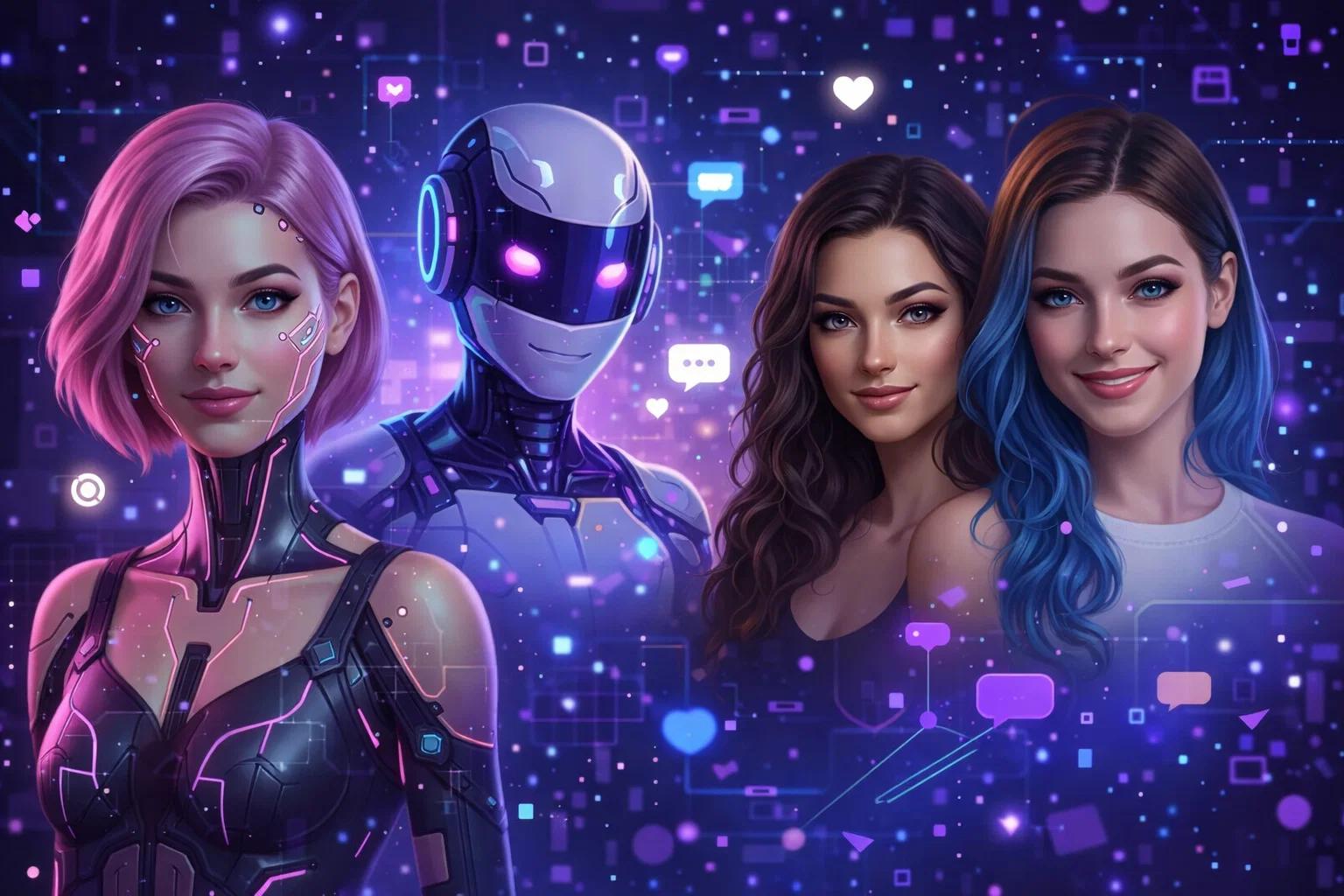
People often turn to Perchance AI alternatives when they need more from their creative AI experience. Whether it’s for generating images without limits, crafting random scenarios, or diving into character-driven conversations, the leading platforms have evolved to meet those demands in exciting ways. What makes these top options stand out is how they combine different AI capabilities into smooth, user-friendly experiences. Many provide robust image generators alongside text tools, allowing creators to build entire stories or worlds with consistent characters and visuals. Others emphasize customization and community features that let users share and expand on their ideas effortlessly.
1. Cherrypop AI
We created Cherrypop AI as a place where anyone can build and chat with their own virtual companions. Users start by shaping characters through details like looks, personality, and background, then jump straight into conversations that have no content filters. Chats can stay light and casual or move into romantic roleplay and more intimate exchanges, whatever direction the user feels like taking. Our image and video tools let people generate matching visuals for their companions so the conversation feels more alive with avatars and short clips appearing right in the flow.
The whole experience stays simple and private. Someone can pick a ready-made character or create one from scratch and keep the story going across different sessions without everything resetting. Descriptions typed during the chat can quickly turn into images or brief videos without needing to switch to another tab or app. We focus on keeping interactions personal while giving users control over how visual or text-heavy they want things to be.
Key Highlights:
- Custom character creation
- Unfiltered conversations
- Image generation for companions
- Video generation from chats
- Ongoing roleplay scenarios
Pros:
- Straightforward character builder
- Supports casual to intimate chat styles
- Visuals appear directly in conversations
- Sessions continue without losing progress
- Easy to switch between text and generated media
Cons:
- Image results depend heavily on prompt details
- Video clips remain quite short
- Some advanced features require a paid upgrade
- Quality can vary based on how specific the description is
Contact Information:
- Website: cherrypop.ai
- Email: [email protected]
- Address: 1209 Mountain Road PL NE #7596 Albuquerque, NM, 87110, USA

2. Candy AI
Candy AI works as an AI companion app centered on creating personalized virtual girlfriends or boyfriends for chat and roleplay. Users build characters by choosing details like ethnicity, hair style and color, eye color, body type, personality traits and hobbies. The conversations mix text with voice messages, generate images of the companion in different outfits or poses, and even short videos to make interactions feel more lively.
Some people enjoy how the AI remembers past chats and adjusts its tone to match the user’s mood over time. It handles everything from casual talk to deeper roleplay scenarios without heavy restrictions. The mobile experience comes through adding the site to a home screen for quick access and notifications.
Key Highlights:
- Personalized character builder
- Multimodal chat with voice and video
- Image generation for companions
- Role Play scenarios
- Memory retention in conversations
Pros:
- Easy character customization options
- Supports both girlfriend and boyfriend styles
- Mixes text, voice, and visuals in chats
- Works on mobile via home screen
- Handles a range of fantasy interactions
Cons:
- Image and video quality depends on prompt details
- Building detailed characters uses more tokens
- Responses can sometimes feel scripted at first
- Video features stay fairly short
Contact Information:
- Website: candy.ai
- Email: [email protected]
- Address: 56 Central Business Centre, Triq Is-Soll, Santa Venera SVR 1833, Malta
- Twitter: x.com/trycandyai
- Instagram: www.instagram.com/trycandyai
- Facebook: www.facebook.com/trycandyai
3. Nastia AI
Nastia AI offers private conversations with customizable AI companions that focus on thoughtful one-on-one chats or group sessions where multiple characters interact. Users set up their own companion during onboarding and then talk through text or voice messages. The service includes tools to generate images and videos based on descriptions while allowing roleplay and emotional discussions without judgment.
It appeals to those looking for uncensored talks that can turn edgy or supportive depending on the moment. Group chats add an interesting layer because the companions can respond to each other as well as the user. Everything stays confidential with basic encryption in place.
Key Highlights:
- Private and group AI chats
- Custom companion creation
- Voice messages
- Image and video generation
- Roleplay and emotional support
Pros:
- Allows uncensored and edgy content
- Supports group conversations between companions
- Feels more personal than standard chatbots
- Good for roleplay variety
- Voice adds natural flow to talks
Cons:
- Image generation relies fully on user descriptions
- Group chats can get chaotic quickly
- Initial setup focuses heavily on onboarding
- Responses sometimes lack depth in casual mode
Contact Information:
- Website: www.nastia.ai
- Address: 11 Res Les Primevères, 97320 France
- Twitter: x.com/nastia_ai
- App Store: apps.apple.com/us/app/nastia-ai/id6745784013
4. Novel AI
Novel AI specializes in AI-assisted storytelling and anime-style image creation through natural language prompts and tag systems. Writers use it to build stories or run text adventures while the image generator turns descriptions into detailed anime art with options for multiple characters in one scene. Tools like Image2Image let users refine existing pictures and Inpaint helps fix or add specific elements without restarting.
The canvas feature gives extra control for editing and experimenting with layouts. Vibe Transfer copies the look and feel from one image to another which some find useful for keeping consistent art direction. Post-processing steps such as removing backgrounds or adding line art offer quick tweaks after generation.
Key Highlights:
- Anime image generation with tags
- Story writing and text adventure support
- Image 2 Image and Inpaint tools
- Vibe Transfer for style matching
- Canvas editing interface
Pros:
- Handles multi-character scenes well
- Writing assistant helps with creative editing
- Many post-processing options available
- Prompt system feels flexible for anime styles
- Works across different devices in browser
Cons:
- Anime focus might not suit every art preference
- Learning all the advanced settings takes time
- Image results vary with prompt precision
- No built-in voice or video features
Contact Information:
- Website: novelai.net
- Email: [email protected]

5. Mage
Mage serves as an AI image and video generator that runs straight in the browser. Users type prompts to create pictures or short clips using different models available on the site. The setup includes options like LoRA for tweaks, ControlNet for guidance, inpainting to fix parts of an image, and tools to upscale or refine results. Motion control lets people apply movements from one video to generated characters, which helps keep things looking consistent across outputs.
Some folks find the character consistency handy when building scenes that carry over from one image to the next. The platform handles anime styles, landscapes, and animated GIFs without much hassle. Video generation stays basic on the free side but opens up more with higher access levels. Overall it feels straightforward for quick experiments in the browser.
Key Highlights:
- Text-to-image and text-to-video generation
- LoRA and ControlNet support
- Motion control for videos
- Consistent character creation from reference images
- Inpainting and upscaling tools
Pros:
- Runs directly in the browser
- Supports NSFW content within set rules
- Offers exclusive models like Mango and Kiwi
- Handles image and video in one place
- Allows custom model imports
Cons:
- Video length stays short even on higher tiers
- Some advanced features require paid access
- Free generation can feel slower during busy times
- Learning all the control tools takes practice
Contact Information:
- Website: www.mage.space
- Email: [email protected]
- Twitter: x.com/MageSpace_

6. Leonardo AI
Leonardo AI functions as a generative AI platform focused on images, art pieces, and video clips. Creators start with simple text prompts or upload their own trained models to produce visuals that match specific aesthetics. The tools let users animate still images into moving sequences or edit existing outputs while trying to hold onto original details like faces and composition. An upscaler helps push resolution higher for bigger prints or screens.
Artists sometimes use it for concept work or product shots because the editing flow avoids starting from scratch every time. Video tools turn static ideas into short animated stories. The interface keeps most options visible so people can adjust styles without jumping between menus too often.
Key Highlights:
- Prompt-based image and video generation
- Image editing that preserves key elements
- Built-in upscaler for higher resolutions
- Animation tools for motion content
- Support for custom trained models
Pros:
- Good for turning ideas into video
- Editing keeps character consistency
- Covers many styles from portraits to landscapes
- Works for different creative roles
- Resolution tools help with final outputs
Cons:
- Some features feel aimed at frequent users
- Learning the animation side takes time
- Results can vary depending on the prompt
- Higher quality outputs need careful tweaking
Contact Information:
- Website: app.leonardo.ai
- Facebook: www.facebook.com/LeonardoAiOfficial
- Twitter: x.com/LeonardoAi_
- App Store: apps.apple.com/us/app/leonardo-ai-image-generator/id1662773014
- Google Play: play.google.com/store/apps/details?id=ai.leonardo.leonardo

7. Civitai
Civitai operates as a hub where people discover and share AI-generated art along with the models that created it. Visitors browse through images ranging from simple designs to complex scenes while checking out community-uploaded checkpoints, LoRAs, and workflows. Users can like or react to posts and even request or share points called Buzz when they run low on generation credits.
The site shines through its leaderboards that rank creators in categories like specific model types or themes. Many spend time exploring models others have fine-tuned for certain art directions. It feels more like a shared gallery and resource library than a standalone generator.
Key Highlights:
- Model and image discovery
- Community uploaded LoRAs and checkpoints
- Reaction system on posts
- Creator leaderboards
- Workflow sharing
Pros:
- Huge variety of user-created models
- Easy to find specialized styles
- Buzz sharing between users
- Clear category breakdowns
- Option to get featured
Cons:
- Generation happens elsewhere
- Interface can feel crowded with content
- Crypto option for buying Buzz adds a step
- Quality depends entirely on shared models
Contact Information:
- Website: civitai.com
- Email: [email protected]
- Twitter: x.com/HelloCivitai
- Instagram: www.instagram.com/hellocivitai
8. Janitor AI
Janitor AI lets users build, share, and chat with custom characters in role-playing scenarios. The platform centers on text-based conversations where each character comes with a detailed profile, tags, and backstory that shape how they respond. People create new ones from scratch or browse trending and popular entries sorted by recent activity or views.
Chats unfold in a back-and-forth format that tries to stay in character based on the setup. Tags cover everything from personality traits to preferred viewpoints like AnyPOV. The mobile app makes it convenient to continue stories on the go for those who prefer typing on their phone.
Key Highlights:
- Character creation and sharing
- Role-playing chat interface
- Detailed character tagging system
- Trending and popular sections
- Mobile app support
Pros:
- Endless variety of user-made characters
- Supports different POV options
- Easy to search by tags
- Community keeps adding fresh content
- Works well for ongoing story building
Cons:
- Responses can drift if the character setup is loose
- No built-in image generation
- Quality varies a lot between creators
- Chat history management gets tricky with long sessions
Contact Information:
- Website: janitorai.com
- Email: [email protected]
- Google Play: play.google.com/store/apps/details?id=com.janitor.ai
- App Store: apps.apple.com/us/app/janitor-ai-official-app/id6692609366

9. Chub
Chub provides a space for generative AI interactions focused mainly on character chats. Users search and engage with various AI personas without needing to log in for basic browsing. The platform includes both a web version and dedicated mobile apps for iOS and Android, making it simple to pick up conversations across devices.
Some prefer the legacy character hub layout that still remains accessible. The overall feel stays centered on quick access to chat-based role-play rather than heavy image tools.
Key Highlights:
- Character-based AI chats
- Search without login
- Mobile apps for iOS and Android
- Legacy site option
Pros:
- No login needed for basic search
- Apps available on Apple and Android
- Straightforward chat focus
- Keeps access to older character hub
Cons:
- Less emphasis on image creation
- Feature details stay fairly basic on the main page
- App downloads require separate links
- Interface feels minimal in places
Contact Information:
- Website: chub.ai
- Email: [email protected]

10. Talefy
Talefy functions as an interactive AI story generator where users read ready-made tales or build their own from scratch. The process starts with picking a genre such as romance or fantasy then adding details about plot, characters and settings. AI steps in to suggest ideas, flesh out backstories or create branching paths based on choices made along the way.
Some writers like how the tool keeps track of decisions so the narrative feels responsive without forcing a linear structure. It mixes reading and creating in one spot which suits those who want to jump between stories or tweak elements on the fly. World building gets a hand from AI that fills in cities or relationships according to the initial description.
Key Highlights:
- Interactive story creation with branching choices
- AI-assisted character and world building
- Genre blending options
- Plot twist and outline suggestions
- Custom story browsing by category
Pros:
- Handles multiple genres in one place
- Lets users steer outcomes through decisions
- AI helps with creative blocks on details
- Supports both reading and writing flows
- Keeps story elements consistent across chapters
Cons:
- Branching paths can get complex to manage
- Quality of AI suggestions varies with input clarity
- Focus stays mostly on text rather than visuals
- Interactive games require careful setup for smooth play
Contact Information:
- Website: talefy.ai
- Email: [email protected]
- Twitter: x.com/TalefyApp
- Instagram: www.instagram.com/talefy_app
- App Store: apps.apple.com/us/app/talefy-ai-character-roleplay/id6504186435
- Google Play: play.google.com/store/apps/details?id=com.talefyaiapp

11. Lexica
Lexica acts as a search engine dedicated to AI-generated images. People enter descriptive prompts and browse through matching pictures that cover styles from surreal scenes to cosplay concepts or artistic themes. The results come tagged so users can refine searches or discover similar visuals quickly.
It also includes a quick generation option through a specific command which some find convenient for testing ideas right away. The interface keeps things simple with example prompts displayed upfront to spark inspiration. Many stick around to explore unexpected combinations that pop up in the results.
Key Highlights:
- Prompt-based image search
- Tagged results for easy filtering
- Example prompts on homepage
- Direct generation feature
- Variety of artistic styles
Pros:
- Fast way to find existing AI images
- Helps with prompt inspiration
- Covers niche themes and concepts
- Simple search layout
- Tags make discovery straightforward
Cons:
- Generation stays limited compared to full tools
- Results depend heavily on community uploads
- No deep editing options built in
- Interface focuses purely on search
Contact Information:
- Website: lexica.art
- Email: [email protected]
- Google Play: play.google.com/store/apps/details?id=com.lexica.ai

12. Artbreeder
Artbreeder lets users create images by breeding and mixing existing ones together. The process involves blending portraits, landscapes or characters to produce new variations with AI handling the combinations. Community features allow following other creators and participating in daily themes or remix events.
It feels collaborative because people share their bred artworks and build on each other’s uploads. Some enjoy the unpredictable results that come from mixing traits while others use it to refine specific looks through repeated breeding. The tool works especially well for character design where small adjustments add up over time.
Key Highlights:
- Image breeding and mixing
- Portrait and landscape creation
- Character generation tools
- Community sharing and following
- Daily themes and remix parties
Pros:
- Unique mixing approach to image creation
- Good for evolving character designs
- Encourages community collaboration
- Handles different image types in one flow
- Remix feature adds fun variety
Cons:
- Results can feel random without careful selection
- Learning the breeding mechanics takes some trial
- Relies on existing images as starting points
- Less control than pure prompt generation
Contact Information:
- Website: www.artbreeder.com
- Email: [email protected]
- Twitter: x.com/artbreeder
- Instagram: www.instagram.com/madewithartbreeder

13. Pixelbin
Pixelbin provides AI-powered tools for editing and optimizing images along with some generation features. Users work with text-to-image creation, background removal, enhancements and selective edits using smart brushes or presets. It also supports batch processing and style transfers like turning photos into specific artistic looks.
Developers appreciate the APIs and SDKs that integrate these functions into workflows while regular users stick to the online editor for quick tasks. The platform includes asset management to keep files organized and delivery options that speed up loading times. Photo restoration and headshot generation round out the practical side.
Key Highlights:
- Text-to-image generation
- AI background removal and enhancement
- Batch editing with presets
- Smart select and brush tools
- Style-specific transformations
Pros:
- Combines editing and generation in one place
- Handles bulk operations efficiently
- Useful for photo restoration tasks
- Developer tools for integration
- Quick toolbar for common edits
Cons:
- Focus leans more toward optimization than pure creativity
- Advanced features require setup for full use
- Results in style transfers can need manual fixes
- Interface includes many technical options
Contact Information:
- Website: www.pixelbin.io
- Phone: +1 866 706 7890
- Email: [email protected]
- LinkedIn: www.linkedin.com/company/pixel-bin
- Twitter: x.com/PixelBinio
- Instagram: www.instagram.com/pixelbinio
- App Store: apps.apple.com/en/app/pixelbin-ai-photo-editor/id6475089048
- Google Play: play.google.com/store/apps/details?id=io.pixelbin.app

14. DreamGen
DreamGen serves as an AI platform for roleplay and story generation through chat-style interactions. Users engage with characters in pre-made scenarios or build custom worlds with their own lore and plots. The AI follows instructions to steer narratives, control behaviors and develop stories across different genres.
It includes options like fantasy taverns with multiple creatures or horror survival situations where choices matter. Some players like the flexibility to direct scenes or switch between characters during a session. The setup keeps conversations immersive without strict limits on direction.
Key Highlights:
- Roleplay and story generation
- Custom world and plot creation
- Multi-character scenarios
- Chat-based narrative control
- Genre variety in examples
Pros:
- Supports ongoing interactive stories
- Allows steering of character actions
- Handles complex fantasy setups
- Good for group-like interactions
- Pre-built scenarios for quick starts
Cons:
- Quality depends on how clearly instructions are given
- Can drift in very long sessions
- Focuses heavily on text interactions
- Managing multiple characters adds complexity
Contact Information:
- Website: dreamgen.com
- Email: [email protected]

15. Muah
Muah offers AI companions for uncensored chat and multimedia exchanges. Users interact through text while sending and receiving photos, voice messages or video content within the conversation flow. The platform centers on creating personalized virtual relationships without content filters.
Conversations feel direct because the AI handles a wide range of topics and styles based on user preference. Some appreciate the seamless mix of different media types that make interactions more varied than plain text alone. It stays centered on companion-style engagement rather than broad storytelling.
Key Highlights:
- Uncensored AI companion chats
- Photo and video exchange
- Voice message support
- Personalized virtual interactions
- Zero censorship approach
Pros:
- Allows open-ended conversation styles
- Integrates multiple media formats
- Focuses on companion experience
- Handles varied user directions
- Keeps interactions private
Cons:
- Heavy emphasis on relationship-style chats
- Multimedia quality varies with inputs
- Less suited for pure story writing
- Can feel repetitive without active guidance
Contact Information:
- Website: muah.ai
- App Store: apps.apple.com/us/app/muah-ai-dream-companion-chat/id6479497772

16. Magi AI
Magi AI lets users create customizable AI companions ranging from anime-style friends to realistic 3D avatars or even talking animal characters. Interactions happen through private chats that support roleplay in different settings including holiday themes or directed scenes. The tool includes video synthesis that turns conversations into short clips with synced motion and expressions.
Users direct moods, actions and environments while the AI generates matching visuals or voice output. Some enjoy the variety of companion types because it allows switching between fantasy aesthetics and more grounded ones. Video features add a layer that plain chat tools lack though results depend on the scene description.
Key Highlights:
- Custom AI companion creation
- Anime and 3D avatar options
- Roleplay with directed scenes
- Video generation from chats
- Voice and motion synchronization
Pros:
- Offers different visual styles for companions
- Supports immersive roleplay setups
- Turns text into video clips
- Handles animal or mythical characters
- Allows scene direction during talks
Cons:
- Video output length stays limited
- Quality relies on detailed scene prompts
- Multiple companion types can feel scattered
- Focus stays mostly on companion chats
Contact Information:
- Website: www.magi1.ai
- Email: [email protected]
Conclusion
Wrapping up, there are quite a few solid options out there if you’re looking for something beyond Perchance AI. Some lean more into image generation with extra editing tools, while others focus on building characters and keeping long, flowing conversations going. It really comes down to what you’re after – whether that’s quick visual experiments or deeper roleplay sessions that feel more personal.
In the end, the “best” alternative depends on your own workflow and what bugs you most about the original tool. A lot of people end up trying a couple before settling on one that just clicks. If you’ve been sticking with Perchance for a while, it might be worth testing a few different platforms to see how the experience changes. Sometimes a small shift in interface or features makes the whole creative process feel fresh again.